
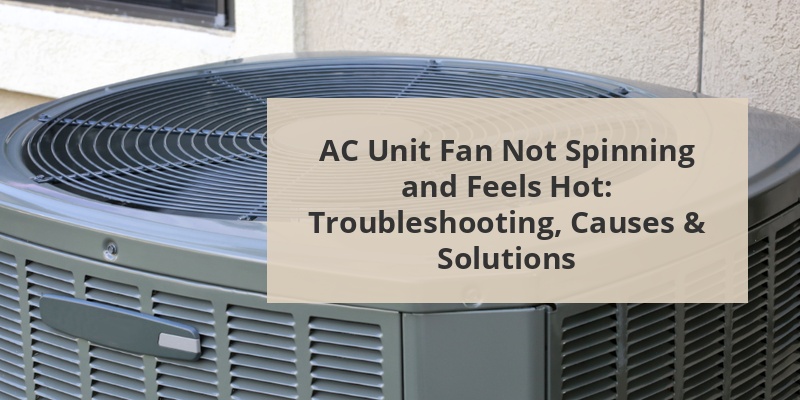
An air conditioning unit that isn’t working properly can be both uncomfortable and alarming, especially when the AC unit fan is not spinning and feels hot. Timely diagnosis and repair are crucial to avoid costly damage and restore comfort. This comprehensive guide delves into common causes, troubleshooting steps, and solutions if your AC fan stops spinning and the outdoor unit is hot.
Quick Reference Table: AC Fan Not Spinning & Hot Unit
| Possible Cause | Symptoms | Solution |
|---|---|---|
| Power Supply Issue | No fan movement, complete system failure | Check breakers, fuses, wiring |
| Faulty Capacitor | Fan not spinning, humming sound | Replace capacitor |
| Burnt Out Fan Motor | Fan overheats, burning smell | Replace fan motor |
| Contactor Problems | Compressor runs, fan does not | Repair or replace contactor |
| Obstructed Fan Blade | Fan stuck, unit hums | Clear debris, check alignment |
Why Is The AC Unit Fan Not Spinning? Key Causes
Power Supply Or Electrical Issues
The primary reason for a non-spinning AC fan is a lack of power. Common issues include tripped circuit breakers, blown fuses, or faulty wiring. Inspect your home’s electrical panel and reset any tripped breakers. Also, look near the outdoor disconnect box for any obvious electrical damage or loose wires.
Faulty Start Capacitor
The capacitor is a critical electrical component that initiates the fan’s movement. A faulty or swollen capacitor often results in the fan not starting, though the compressor may still attempt to run. This can make the unit’s top feel hot to the touch.
Malfunctioning Fan Motor
The fan motor drives blade rotation. Over time, worn bearings, lack of lubrication, or motor burnout can stop it from operating. A burned fan motor frequently leads to a heated AC unit and sometimes a disconcerting burning smell or humming noise.
Defective Contactor
The contactor signals the fan and compressor to turn on. If it’s faulty, the compressor may run while the fan remains idle, exacerbating the heat buildup. Signs include clicking noises or pitting/burn marks on the contactor relay.
Obstruction In The Fan Blades
Debris such as twigs, leaves, or even animal nests can jam the fan blades, preventing them from spinning. Physical obstructions may also bend or misalign blades, causing them to seize up.
Call 888-896-7031 for Free Local HVAC Quotes – Compare and Save Today!
Thermostat Or Control Board Problems
A malfunctioning thermostat or control board may fail to send the correct signals to the outdoor fan, resulting in a stationary fan even when cooling is needed.
Immediate Safety Steps To Take
Whenever the AC fan is not spinning and the unit is hot, the following steps are crucial to prevent further system damage:
- Turn off the AC at the thermostat to halt all power to the system.
- Shut off the power at the breaker and/or outdoor disconnect switch.
- Wait for the unit to cool down before any inspection or troubleshooting.
- Do not attempt to force the fan blades by hand if resistance is felt.
- Contact a licensed HVAC professional for any repairs involving electrical or internal parts.
How To Troubleshoot: Step-By-Step Guide
Step 1: Inspect the Power Supply
Ensure the circuit breaker for the AC unit is switched on. If tripped, reset it, but if it trips again, there may be a deeper electrical issue requiring professional intervention.
Step 2: Listen For Compressor & Fan Operation
When the thermostat calls for cooling, the outdoor unit should power up with a distinct fan sound. If the compressor hums but the fan is idle, the fan or its electrical components are likely at fault.
Step 3: Check The Capacitor
A failed capacitor often shows as a swollen, leaking, or bulging part. It stores a high-voltage charge, so never touch or test capacitors without proper knowledge and tools. A noticeable hum without fan movement is a key sign of capacitor failure.
Step 4: Inspect The Fan Motor
Visibly check for burnt wiring, melted insulation, or scorch marks. If the fan is excessively hot or emits a burnt odor, the motor could be burnt out and may need replacement.
Call 888-896-7031 for Free Local HVAC Quotes – Compare and Save Today!
Step 5: Remove Debris Or Obstructions
With the power off, carefully look through the top grill to check for leaves, sticks, or other items. Remove any debris and make sure the fan spins freely by gently turning the blades.
Step 6: Examine The Contactor
The contactor is a relay accessible behind the service panel. Look for blackened or pitted contacts, which can disrupt power to the fan motor and require replacement.
Step 7: Inspect The Control Circuitry
Faulty thermostat connections or a malfunctioning control board can prevent the fan from receiving the run signal. Reset or replace these components as needed after ruling out basic power issues.
Expert Tips: Determining The Cause Efficiently
- If the unit is completely silent, the issue is likely electrical or with the breaker.
- If the compressor runs but the fan does not—suspect the capacitor, fan motor, or contactor.
- A visible obstruction should always be safely removed before attempting further repairs.
- Fan motors typically last 10–15 years; older units may be due for component renewal.
Common Replacement Parts & Average Costs
| Part | Average Cost (Parts Only) | Typical Pro Labor Fee |
|---|---|---|
| Start/Run Capacitor | $10 – $75 | $150 – $350 |
| Fan Motor | $100 – $300 | $250 – $650 |
| Contactor | $20 – $50 | $120 – $250 |
| Thermostat | $25 – $200 | $100 – $250 |
Prices reflect 2025 US averages for residential split-system central air units.
Step-By-Step Guide: How To Replace A Faulty Capacitor
- Switch off all power (breaker and disconnect box).
- Remove the access panel to the outdoor unit employing appropriate tools.
- Use a voltage tester to ensure no electrical current remains.
- Locate the capacitor—it’s usually a cylindrical metal canister.
- Discharge it safely using an insulated screwdriver across the terminals.
- Record wiring placement (take a picture for reference). Remove wires from the old capacitor.
- Install the new, identically rated capacitor. Secure the wires as before.
- Replace the panel and restore power. Test operation.
- Only DIY if comfortable and experienced with electrical components.
When To Call An HVAC Professional
If initial troubleshooting fails to identify or correct the issue, it’s best to call a licensed HVAC technician. Professional-level repairs usually involve:
- Complex electrical testing or rewiring
- Fan motor replacement
- Serious capacitor or contactor failure
- Compressor issues (which can also cause heat build-up but require specialized tools)
DIY efforts on high-voltage AC systems can be dangerous. For safety and warranty purposes, expert service is recommended for major component replacement.
Preventive Maintenance To Avoid AC Fan Issues
- Schedule annual AC inspections and tune-ups each spring.
- Regularly clear debris around the outdoor condenser unit for proper airflow.
- Replace air filters every 1–3 months.
- Check and tighten electrical connections as part of routine service.
- Lubricate fan motor bearings if required by the manufacturer’s guidelines.
- Consult owner’s manual for any model-specific maintenance tips.
Proactive maintenance significantly extends system lifespan and reduces emergency breakdowns.
How An Overheated AC Unit Affects Your Home
A non-spinning fan coupled with a hot exterior unit rapidly leads to efficiency losses. The system can’t dissipate heat, causing:
- Reduced or no cool air inside the home
- Poor humidity control
- Increased energy consumption
- Potential compressor failure—which is a very costly repair
Address issues promptly to avoid permanent damage to core AC components.
Signs Of Impending AC Fan Failure
- Rattling, humming, or grinding noises from the outdoor unit
- Fan starts slowly, stops, or moves intermittently
- Visible wobbling or unbalanced fan blades
- Tripped breakers without apparent cause
Early detection of these symptoms allows for quicker, more affordable repairs.
Best Practices: Protect Your AC Fan & Prevent Overheating
- Keep landscaping and grass cut back at least 2 feet around the condenser.
- Install protective covers in the off-season to keep debris out.
- Inspect after windstorms or severe weather for debris or physical impact.
- Upgrade to high-quality, manufacturer-specified capacitors and motors.
- Consider a programmable thermostat to avoid over-cycling.
Programmed controls and physical barriers support longer fan life and less overheating risk.
Additional FAQs: AC Unit Fan Not Spinning And Hot
- Is it safe to run my AC if the fan’s not spinning?
No—the system can overheat and damage the compressor. Always turn it off if the fan is idle. - Can I replace a capacitor or fan motor myself?
If you are experienced with electrical work, you can attempt it. Otherwise, professional service is highly advised for safety. - How long do AC capacitors and fan motors last?
Capacitors 5–10 years; fan motors 10–15 years, though high temperatures or frequent cycling may shorten lifespan. - What if the unit is buzzing but nothing spins?
This often points to capacitor or motor failure. Shut down the unit and schedule repair. - Should I lubricate the fan motor?
Some sealed motors do not require oiling; check your manual before applying any lubricant.
Summary: Restore Cooling And Avoid Damage
If your AC unit fan is not spinning and the unit feels hot, take immediate action: disconnect power, inspect for visible issues, and consider professional repair for electrical or motor faults. Regular preventive maintenance and swift attention to unusual noises or performance drops ensure reliable, efficient home cooling all season long.
Tips for Getting the Best HVAC Prices
- Prioritize Quality Over Cost
The most critical factor in any HVAC project is the quality of the installation. Don’t compromise on contractor expertise just to save money. - Check for Rebates
Always research current rebates and incentives — they can significantly reduce your overall cost. - Compare Multiple Quotes
Request at least three estimates before making your choice. You can click here to get three free quotes from local professionals. These quotes include available rebates and tax credits and automatically exclude unqualified contractors. - Negotiate Smartly
Once you've chosen a contractor, use the proven strategies from our guide — How Homeowners Can Negotiate with HVAC Dealers — to get the best possible final price.