
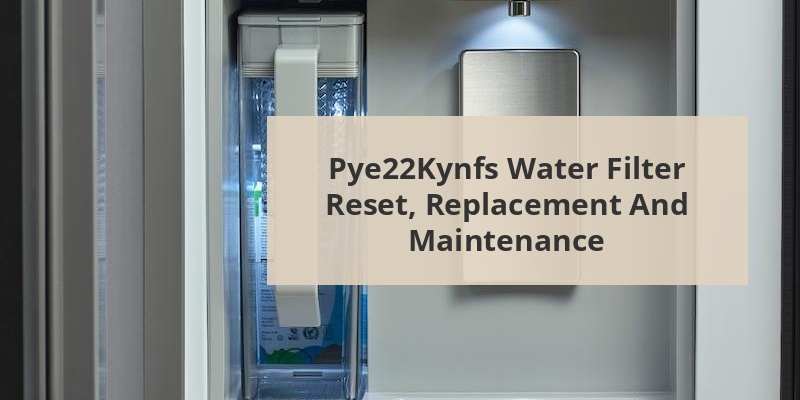
The GE PYE22KYNFS refrigerator features an advanced water filtration system that requires periodic filter changes and resets to maintain optimal performance. After replacing the water filter, resetting the indicator is crucial to ensure accurate monitoring of the filter’s lifespan. This process alerts users when the next replacement is needed, maintaining water quality and taste. Understanding how to properly reset the water filter indicator on this specific GE Profile model helps owners maintain their refrigerator’s performance and ensure clean, filtered water.
The GE PYE22KYNFS is a French door refrigerator from GE’s Profile series that includes a built-in water filtration system. This system uses XWF replacement filters designed to reduce contaminants including lead, certain pesticides, pharmaceuticals, and chlorine, improving both taste and quality of dispensed water and ice.
The refrigerator features an electronic filter indicator on the control panel that monitors filter usage. When functioning properly, this indicator displays the filter status and alerts users when it’s time for replacement, typically after six months or 170 gallons of water, whichever comes first.
The filtration system is integrated with the refrigerator’s water dispenser and ice maker, making proper maintenance essential not just for water quality but also for the longevity of these components.
When to Reset Your Water Filter
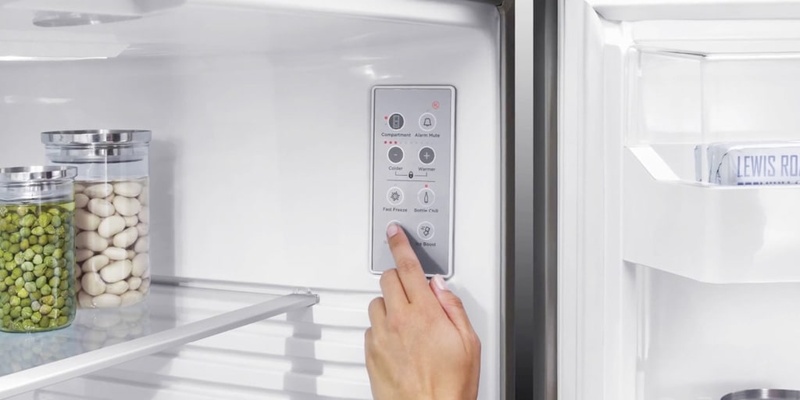
Resetting the water filter indicator is necessary in several specific situations. The most common reason is after installing a new filter. Without a reset, the refrigerator continues to display that the filter needs replacing, even with a fresh filter installed.
Reset is also required when the indicator is flashing red or yellow, signaling an expired filter, or when the indicator is giving a false reading. Some users may need to reset after a power outage or system reset that affected the refrigerator’s electronic monitoring system.
Call 888-896-7031 for Free Local HVAC Quotes – Compare and Save Today!
Performing this reset ensures the monitoring system begins a fresh countdown, accurately tracking the lifespan of your newly installed filter. The reset should be done immediately after filter replacement for proper timing.
Step-by-Step Reset Instructions
Method 1: Using the Control Panel Buttons
This is the standard method recommended by GE for the PYE22KYNFS model:
- Locate the control panel on the front of the refrigerator, typically above the water dispenser.
- Find the “Filter” button or icon on the control panel.
- Press and hold the filter button for 3 seconds until the indicator light changes or stops flashing.
- Some models may show a confirmation message or chime to indicate successful reset.
- Verify that the filter indicator now shows a new filter status (typically blue or green).
Method 2: Using the Dispenser Lock and Light Buttons
If the first method doesn’t work, this alternative approach can be effective:
- Locate the dispenser panel area.
- Press and hold both the “Lock” and “Light” buttons simultaneously for approximately 3-5 seconds.
- Wait for the display to show “0” or the filter icon to change color.
- Release both buttons once the change occurs.
- The filter indicator should now be reset.
Troubleshooting Common Reset Issues
Even with proper instructions, users sometimes encounter problems with the water filter reset process. If the indicator fails to reset after following the standard procedures, try disconnecting the refrigerator from power for one minute, then reconnecting and attempting the reset again.
Another common issue is the reset not “sticking” – the indicator resets temporarily but returns to the replacement warning. This typically indicates a communication problem between the filter and the monitoring system. Ensure the filter is properly seated and locked into position, as poor installation can prevent proper recognition.
If buttons are unresponsive, check for an active control lock feature (often indicated by a lock icon on the display) which may be preventing input. To deactivate, press and hold the Lock button for 3 seconds.
Call 888-896-7031 for Free Local HVAC Quotes – Compare and Save Today!
| Problem | Possible Cause | Solution |
|---|---|---|
| Indicator won’t reset | Button not held long enough | Hold button for full 3-5 seconds |
| Reset reverts back | Filter not properly installed | Remove and reinstall filter, ensuring it clicks |
| Controls unresponsive | Control lock activated | Deactivate control lock first |
| No indicator change | System error | Power cycle refrigerator |
Water Filter Replacement Process
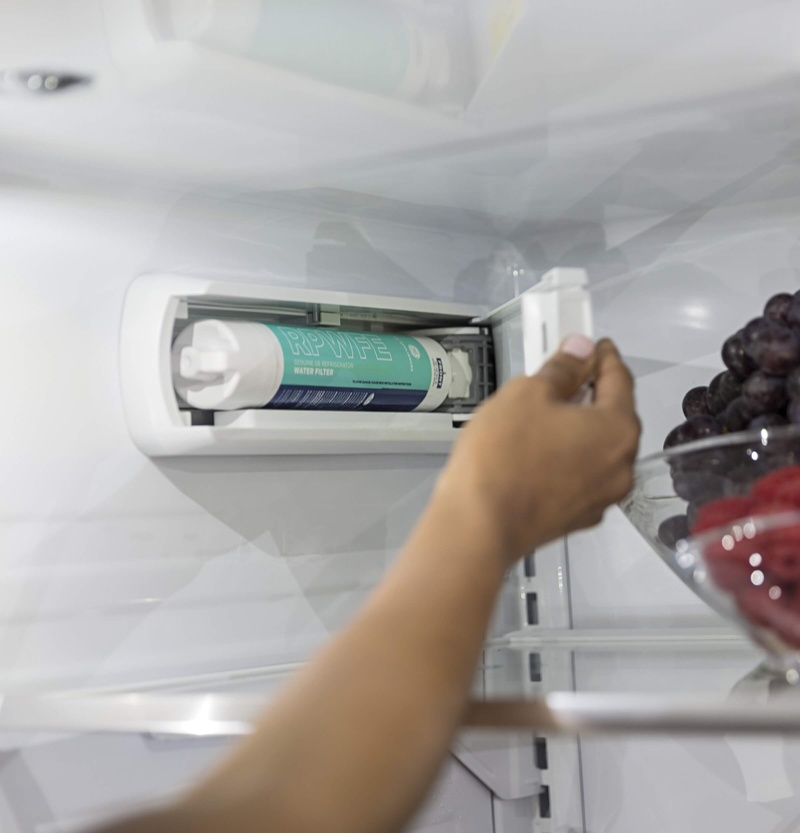
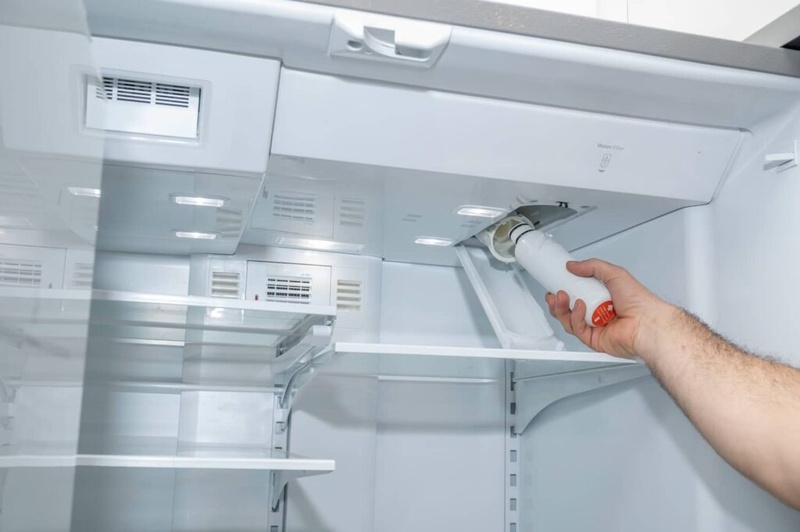
Before resetting, you need to properly replace the water filter. For the GE PYE22KYNFS, the filter compartment is typically located in the upper right corner of the fresh food section. To replace:
- Turn the old filter counterclockwise and pull it down and out.
- Remove packaging from new XWF filter, including protective caps.
- Align the new filter with the filter holder.
- Push the filter up while turning it clockwise until it locks securely into place.
- Run 2 gallons of water through the dispenser to clear air and carbon residue (discard this water).
- Proceed with the reset procedure.
After installation and reset, it’s normal to notice air in the water line, causing sputtering from the dispenser. This typically resolves after dispensing 2-3 gallons of water. If sputtering persists for more than a day, check for proper filter installation.
Comparing Original and Aftermarket Filter Options
When replacing the water filter in your GE PYE22KYNFS, you have multiple options to consider. Each has different implications for performance, cost, and compatibility with the reset function.
| Filter Type | Average Cost | Lifespan | Reset Compatibility | Certification |
|---|---|---|---|---|
| GE XWF Original | $49.99-$54.99 | 6 months | Fully compatible | NSF 42, 53, 401 |
| GE-Approved Alternative | $39.99-$44.99 | 6 months | Fully compatible | NSF 42, 53 |
| Third-Party Compatible | $15.99-$29.99 | 3-6 months | May cause reset issues | Varies |
| Universal Replacement | $12.99-$19.99 | 3 months | Often requires manual tracking | Limited or none |
Using genuine GE XWF filters ensures proper fit, function, and reliable reset compatibility. Third-party filters may offer cost savings but could potentially cause problems with the electronic monitoring system, sometimes preventing proper reset of the indicator.
Filter Reset vs. System Reset
It’s important to distinguish between a water filter reset and a complete system reset on the PYE22KYNFS. A filter reset only affects the filter monitoring system, resetting the counter that tracks filter life. This is what you need after replacing the water filter.
A system reset is more comprehensive, returning all refrigerator settings to factory defaults. This should only be performed when troubleshooting major system issues and is typically done by pressing and holding specific combinations of buttons or disconnecting power.
If you accidentally perform a system reset, you’ll need to reprogram any custom settings for temperature, icemaker operation, and other preferences. The filter counter will also reset, regardless of the actual filter condition.
Maintaining Optimal Water Filtration Performance
Beyond regular replacement and proper reset procedures, several practices can help maintain optimal filtration performance in your GE PYE22KYNFS refrigerator. Regular cleaning of the water dispenser area prevents contamination after filtration.
Users should be aware that water quality in your home affects filter lifespan. Homes with hard water may require more frequent filter changes than the standard six-month interval. Signs of premature filter exhaustion include reduced water flow, strange tastes, or unusual odors.
Seasonal homes or refrigerators that go unused for extended periods should have filters removed and water lines emptied to prevent bacterial growth. Upon returning, install a fresh filter, flush the system thoroughly, and perform a reset before resuming normal use.
Tips for Getting the Best HVAC Prices
- Prioritize Quality Over Cost
The most critical factor in any HVAC project is the quality of the installation. Don’t compromise on contractor expertise just to save money. - Check for Rebates
Always research current rebates and incentives — they can significantly reduce your overall cost. - Compare Multiple Quotes
Request at least three estimates before making your choice. You can click here to get three free quotes from local professionals. These quotes include available rebates and tax credits and automatically exclude unqualified contractors. - Negotiate Smartly
Once you've chosen a contractor, use the proven strategies from our guide — How Homeowners Can Negotiate with HVAC Dealers — to get the best possible final price.